Audion AcoustiCAD

Professional speaker coverage visualization and acoustic modeling software

Design Audio Systems with Precision

Audion AcoustiCAD gives you the tools to visualize speaker coverage, calculate SPL distribution, and optimize your audio system designs before installation. No guesswork—just accurate, professional results.

How It Works

01

Define Your Space

Start by importing floor plans as a background reference, or work without one. Draw coverage zones directly over your floor plan, add additional zones manually, or simply enter room dimensions to get started quickly.
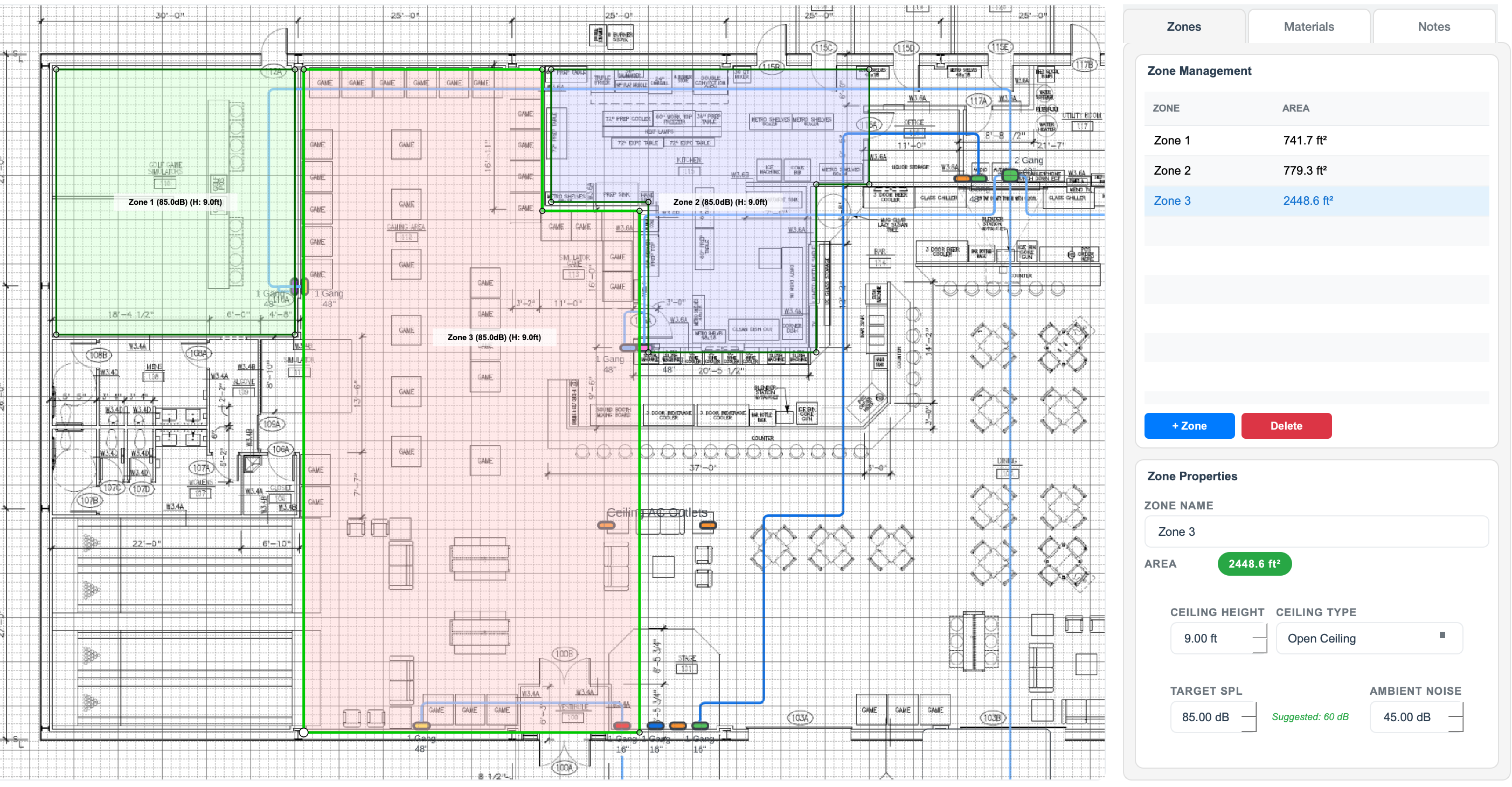
Import space and floor plans
02

Place Your Speakers

Choose speakers from our built-in library or manually enter speaker attributes for custom models. Position speakers with precise control over height, angle, and orientation for accurate coverage modeling.
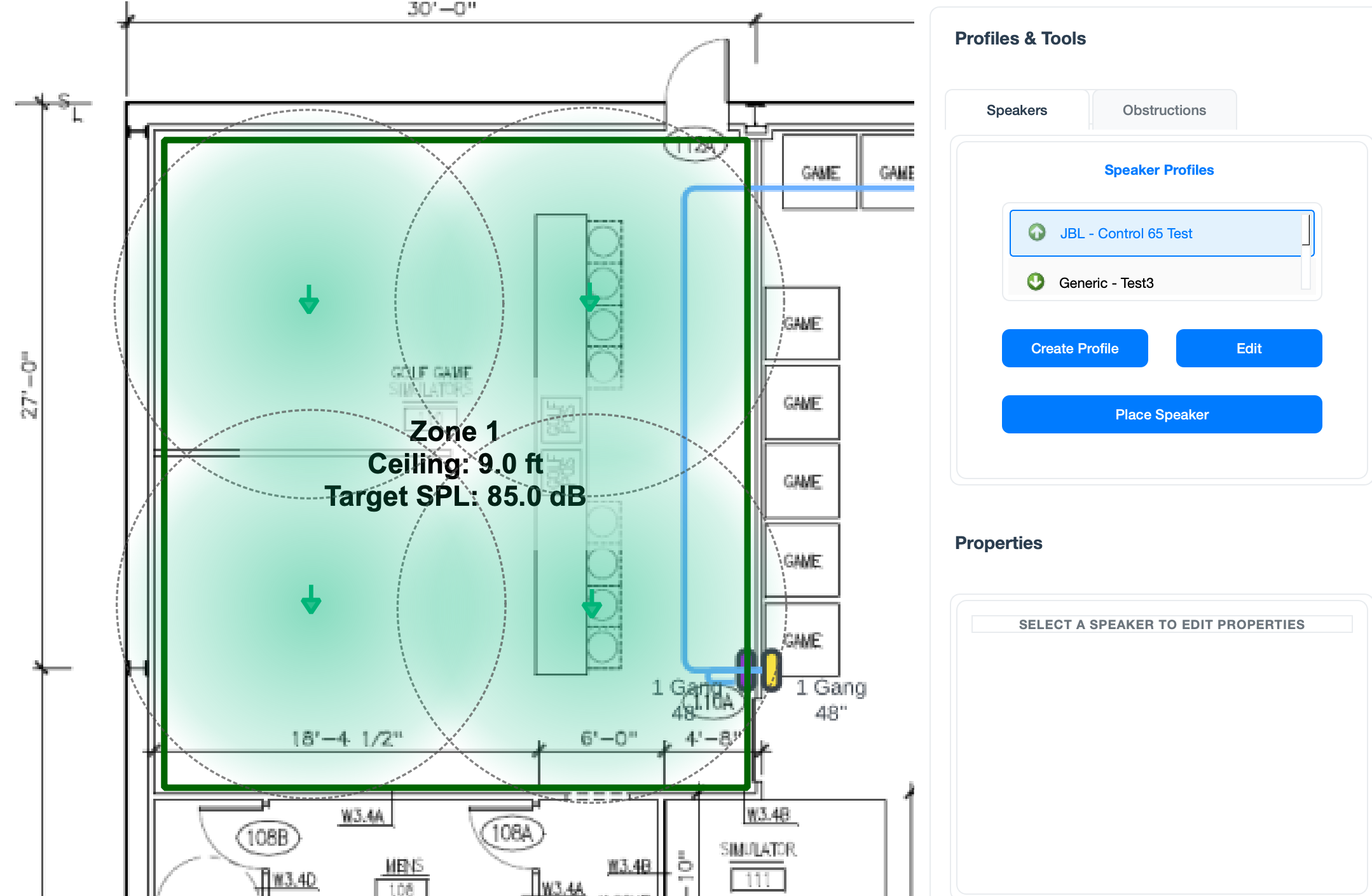
Place and position speakers
03

Visualize Coverage

See your speaker coverage patterns in real-time. View coverage plots, identify overlap zones, and spot gaps in coverage. Adjust speaker positions and instantly see the results.
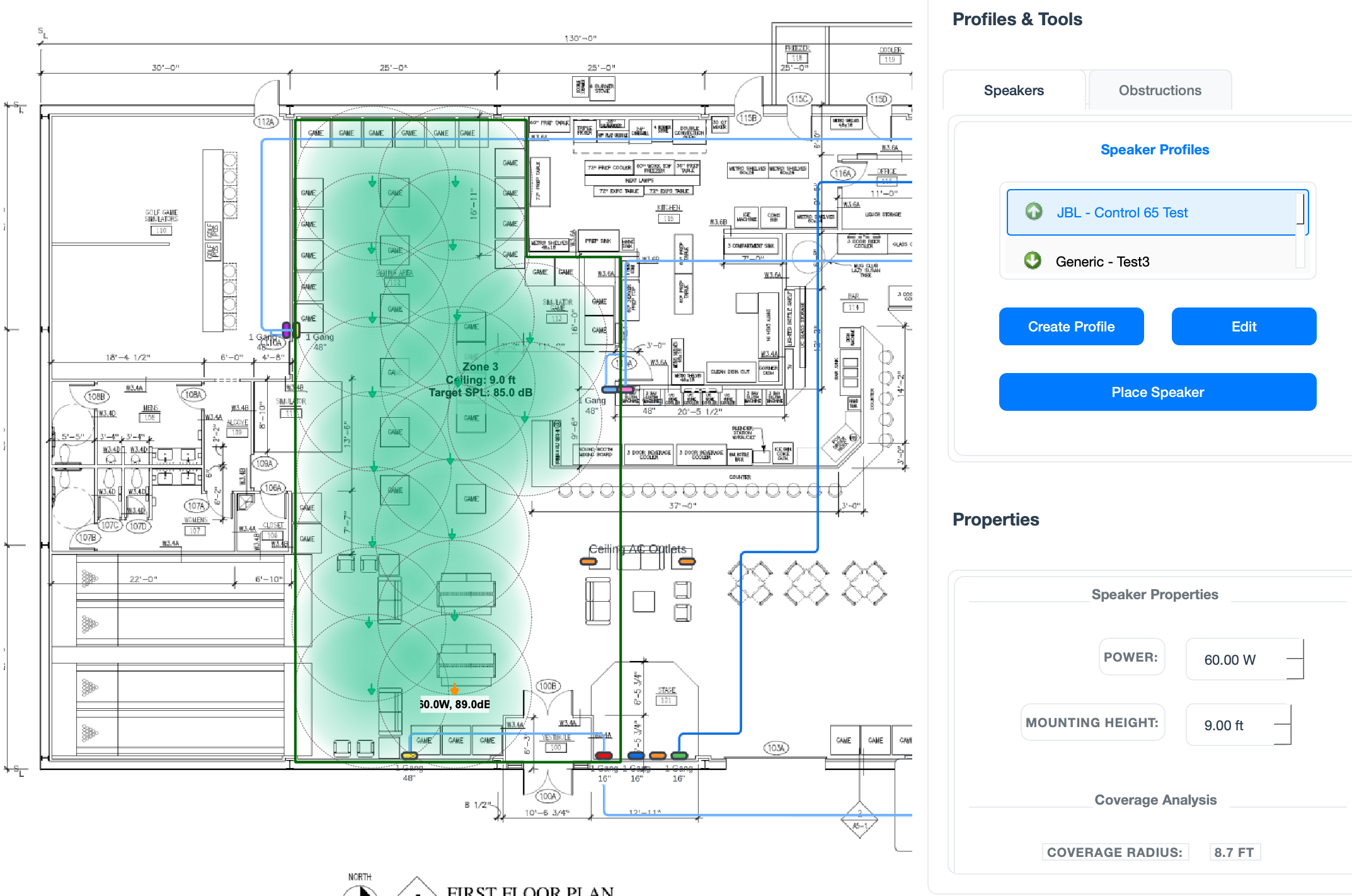
Visualize speaker coverage patterns
04

Review System Summary

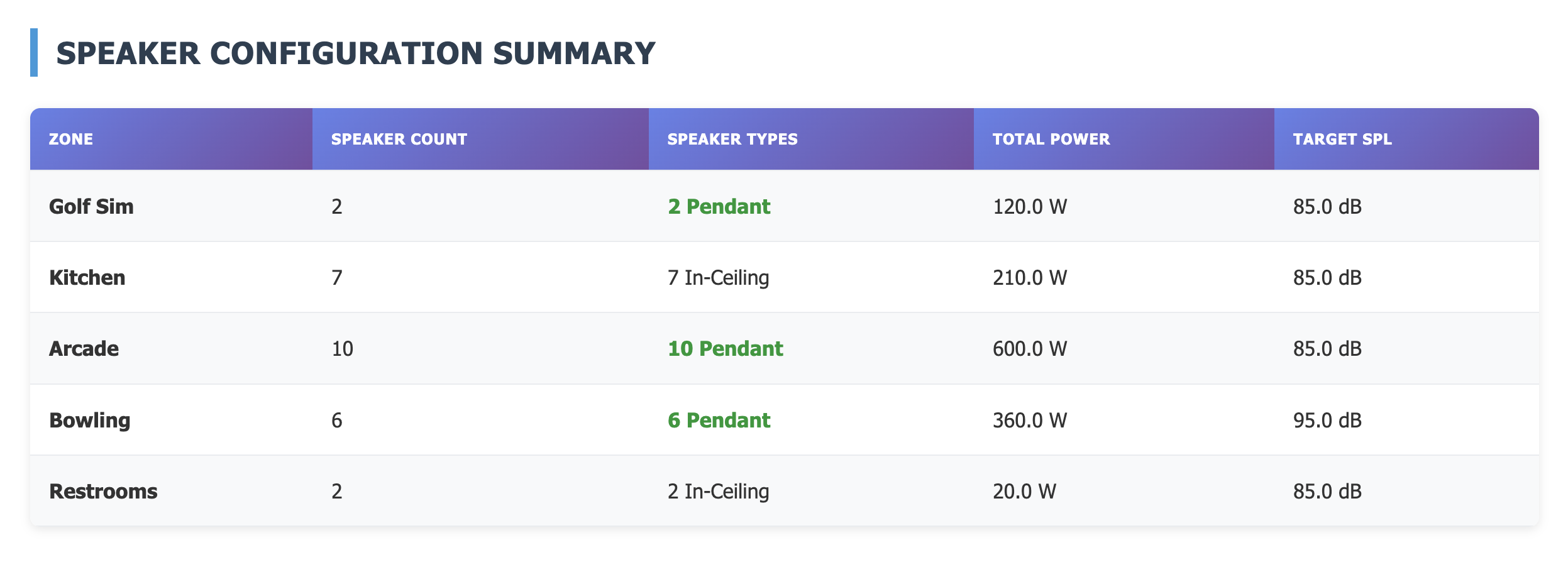
Get a comprehensive overview of your design including total speaker counts, power requirements, zone breakdowns, and amplifier recommendations. All the key metrics at a glance.
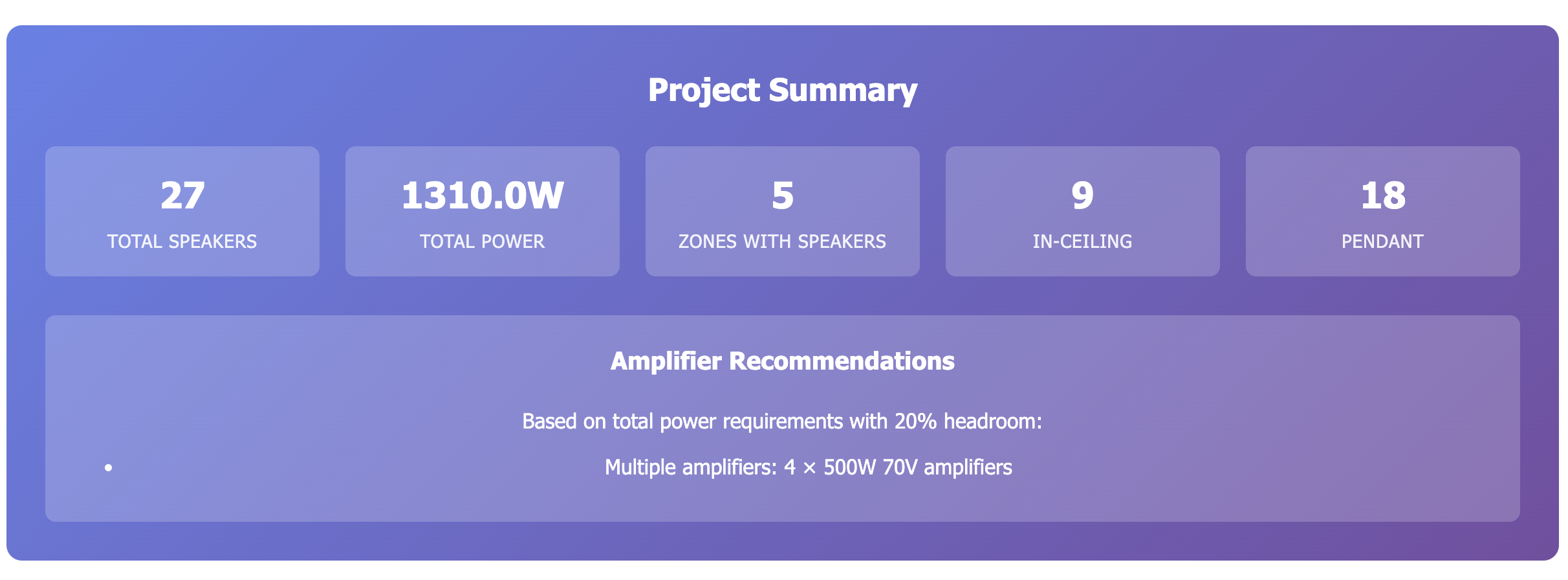
Project summary and system overview
05

Export Documentation

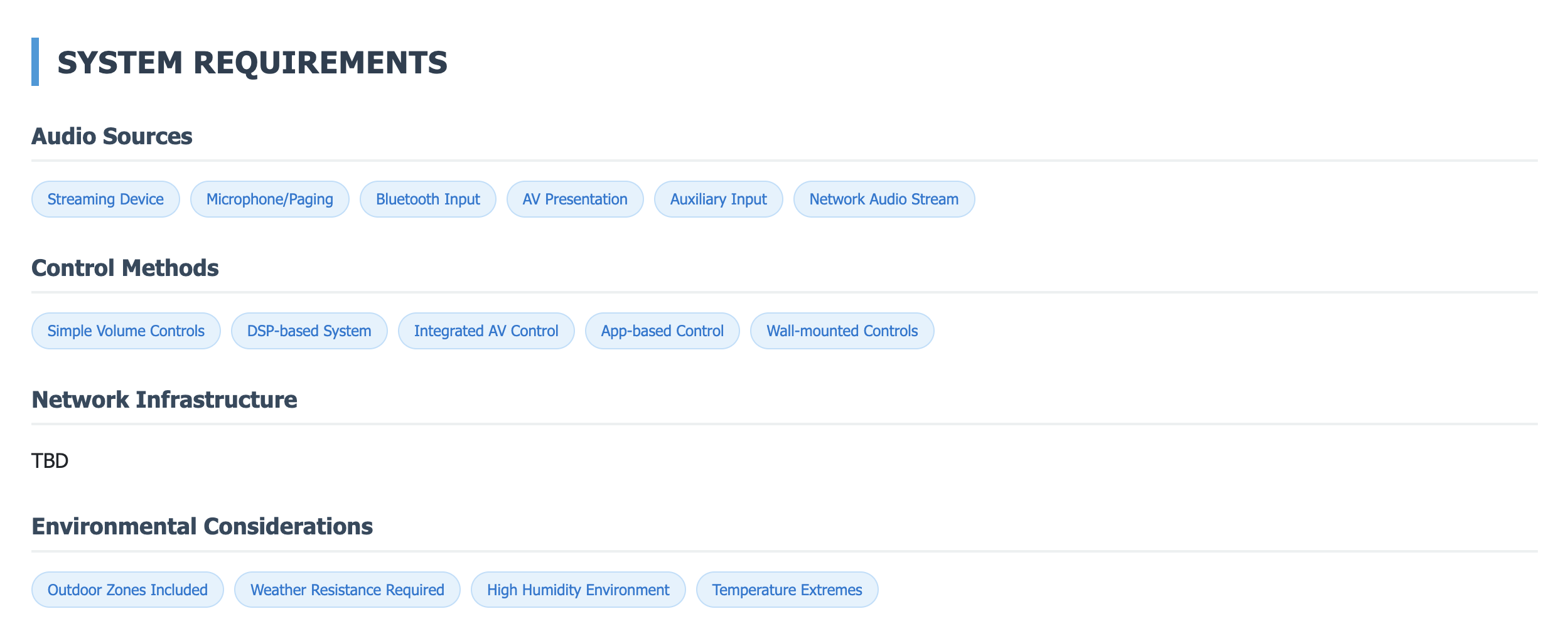
Generate professional reports with zone overviews, project summaries, speaker configurations, and system requirements. Export complete documentation for client presentations or contractors with all the technical details needed for installation.
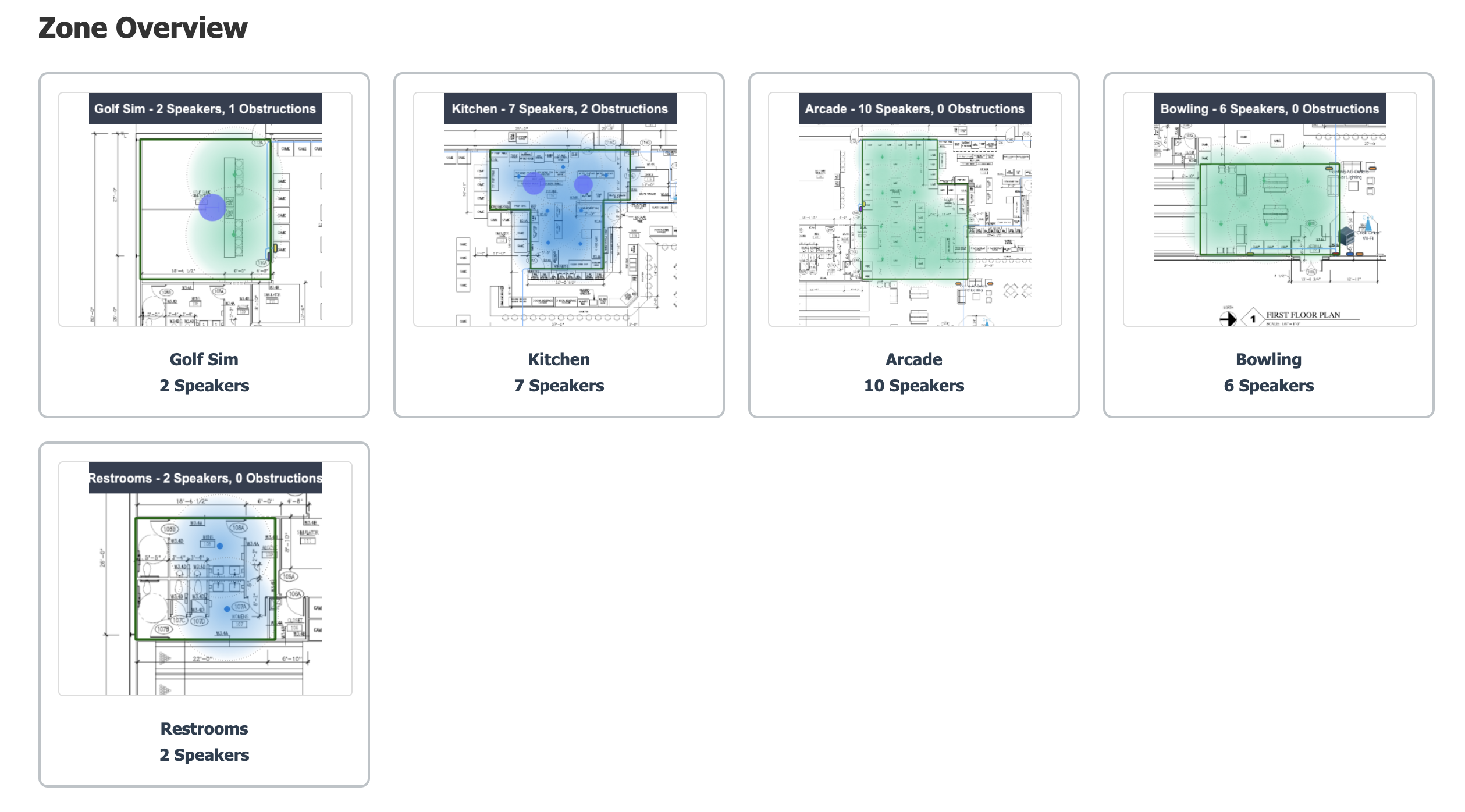
Zone overview

Zone Overview

Project summary

Project Summary

Speaker configuration

Speaker Configuration

System requirements

System Requirements

Powerful Features

Speaker Library

Built-in database of popular speakers with accurate polar data, or manually input custom speaker specifications.

2D Visualization

Clear, precise coverage visualization with real-time updates as you adjust speaker positions and settings.

Floor Plan Import

Import floor plans as background references to design systems in context with actual space layouts.

Zone-Based Design

Create complex systems with multiple zones, each with independent coverage and level requirements.

Power Calculations

Automatic calculation of total power requirements with amplifier recommendations based on your design.

Professional Reports

Generate comprehensive documentation including summaries, configurations, and system requirements.

Perfect For

System Designers

Create accurate system designs with confidence. Present professional visualizations to clients and contractors.

Consultants

Evaluate existing systems, propose improvements, and document recommended changes with precision.

Integrators

Plan installations efficiently. Identify rigging points, cable runs, and potential issues before you arrive on site.

Students & Educators

Learn audio system design principles with immediate visual feedback. Experiment without expensive equipment.

Get Audion AcoustiCAD

FREE For personal and educational use

Professional-grade speaker coverage modeling software. Free for personal use, learning, and non-commercial projects.

Personal Use

Free for individual designers, students, and non-commercial projects. No limitations on features.

Commercial Use

Using Audion AcoustiCAD for client work or commercial projects? Contact us for licensing information.

Coming Soon

Audion AcoustiCAD is currently in final development. Contact us for more information about release dates and early access.

Contact Us for More Info

Need Help?

Documentation

Comprehensive guides and tutorials to get you started and master advanced features.

View Docs →

Video Tutorials

Step-by-step video walkthroughs of common workflows and design techniques.

Watch Tutorials →

Contact Support

Questions or issues? Our team is here to help you get the most out of Audion AcoustiCAD.

Get Support →